
For shops, retailers and resellers
You sell it. Your customers can read its passport.
Digital product passports are arriving product group by product group. As a seller you check what your suppliers give you and make the passport easy for customers to reach, in the shop and online. xProduct opens every passport from the barcode, gives you a feed of a supplier's passports and shows them in your web shop.
Book a demo Guidance, not legal advice. EU and UK rules as of November 2026.
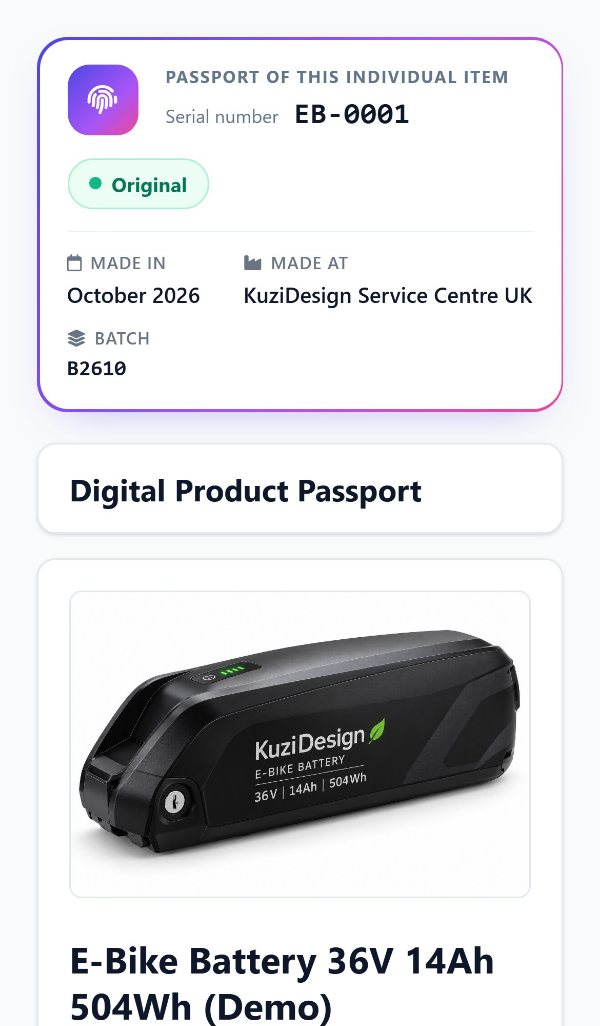
A real passport on a phone, opened from the code on the product.
01/What changes for sellers
Check what you receive, and let customers reach the passport
Shops that resell goods already on the market are distributors. You do not write the passport; the maker or importer does. Your part is to check the product, keep it in good condition and, where a product group needs a passport, make it easy for customers to reach.
- 01
Check before you sell
The marking, the maker's and importer's details and the instructions are there, and the product has a passport where its rules ask for one.
- 02
Make it reachable
Customers can open the passport in the shop from the code on the product, and online from your product listing.
- 03
Do not alter it
The passport belongs to the company that placed the product on the market. You link to it; you do not change it.
- 04
Your own brand?
Sell under your own name or change the product substantially and you take on the maker's duties, passport included.
Selling under your own label
Then you create the passports yourself. Producers and brand owners
Buying straight from outside the EU
Then you are the importer, with more duties. Importers
02/From the barcode
One barcode opens the passport
Every passport made in xProduct answers at a GS1 Digital Link address built from the product's GTIN. A phone gets the passport page; a till, scanner or shop system can ask for the same passport as data.
https://www.xproduct.eu/01/09506000134352
https://www.xproduct.eu/01/09506000134352/10/LOT-2026-11
https://www.xproduct.eu/01/09506000134352/21/SN000123
- GTIN only: the product's passport.
- With a batch or lot: the same passport, found from the code printed on the batch.
- With a serial number: the passport of that one item, when the maker registers serial numbers.
- Old labels: if the maker changes a barcode, the old code still opens the passport, unless another product now uses it.
The example GTIN above is made up.
03/In your web shop
Show the passport next to the product
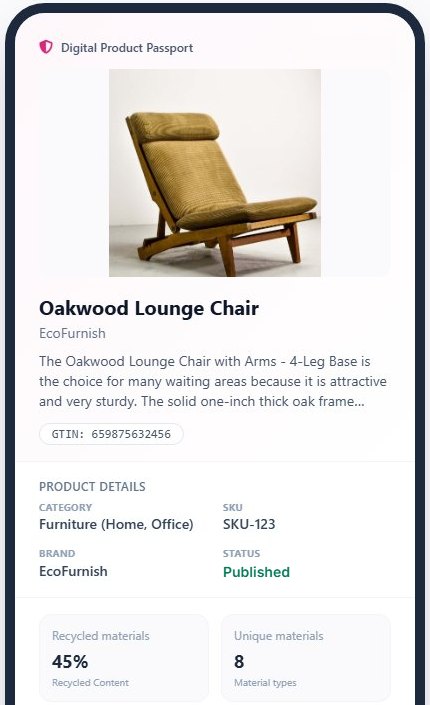
Link from each product listing to the passport address, or embed the passport widget. On Shopify, the DigiPass apps (EU and UK) add the passport to your product pages.
A link
Put the passport address on the product listing. It works on any shop system.
The widget
A passport block for your product page, from the maker's published data.
Shopify
The DigiPass apps on the Shopify App Store add passports to your Shopify products.
In the shop
Customers scan the code on the product or shelf label with their phone.
04/Supplier data
A list of a supplier's passports, for your shop system
When your supplier uses xProduct, you can read all of its published passports in one list: the product identifier and the passport address of each, as JSON or as a spreadsheet. Everything in it is public already; the feed only puts it in one place.
GET https://www.xproduct.eu/api/v1/passports/feed?gln=<supplier GLN>
GET https://www.xproduct.eu/api/v1/passports/feed?gln=<supplier GLN>&format=csv

GET https://www.xproduct.eu/api/v1/dpps/<passport id>
- Find the supplier by its GLN, or by its account number if it has no GLN.
- Up to 5,000 passports per list, each in its main language, with the other languages named.
- Read one whole passport as data through the passport API, which follows EN 18222, or the version that was valid on a given date.
- No account needed for public data.
05/Who sees what
Public for customers, restricted parts for those with a reason
Most of a passport is public. Some sections, such as detailed battery composition and dismantling data, are shown only to repairers, recyclers and authorities, and each such read is logged for the maker.
- 01
Customers
The public passport: materials, care, repair, recycling, certificates and the companies responsible.
- 02
Repairers and recyclers
Restricted sections when the maker gives them access, for example through its partner links.
- 03
Authorities
Market surveillance can ask the maker for access to the full passport.
- 04
Tamper-evident
Published passports carry a digital seal that anyone can check, so a changed copy shows.
Do I need an account to open a supplier's passport?
No. Public passports, the barcode addresses and the feed of public passports work without an account.
My supplier does not use xProduct. Can I still link to its passport?
Yes, a link works with any passport address. The feed and the widget only cover passports published in xProduct.
Which products need a passport, and when?
It depends on the product group: batteries and toys have their own dates, and more groups follow under the Ecodesign Regulation. The Regulation Navigator shows the rules for a product and your role.
Can I change a passport I sell under?
No. Only the company that placed the product on the market edits its passport. If you sell under your own brand, you make your own passports.
Every product you sell, one scan from its passport.
Start free, or book a demo and we will show you the feed and the shop widget with your own suppliers in mind.